
I first wrote this in 2011, when Google Ads had two campaign types, Search and Display. It now has many more, and choosing between them is a key part of the job.
Hopefully this can give you some guidance and clear up some of the mystery about which ones to use and why.
Start With What You Are Trying To Achieve
Before Google will let you build anything, it asks what you are trying to achieve.
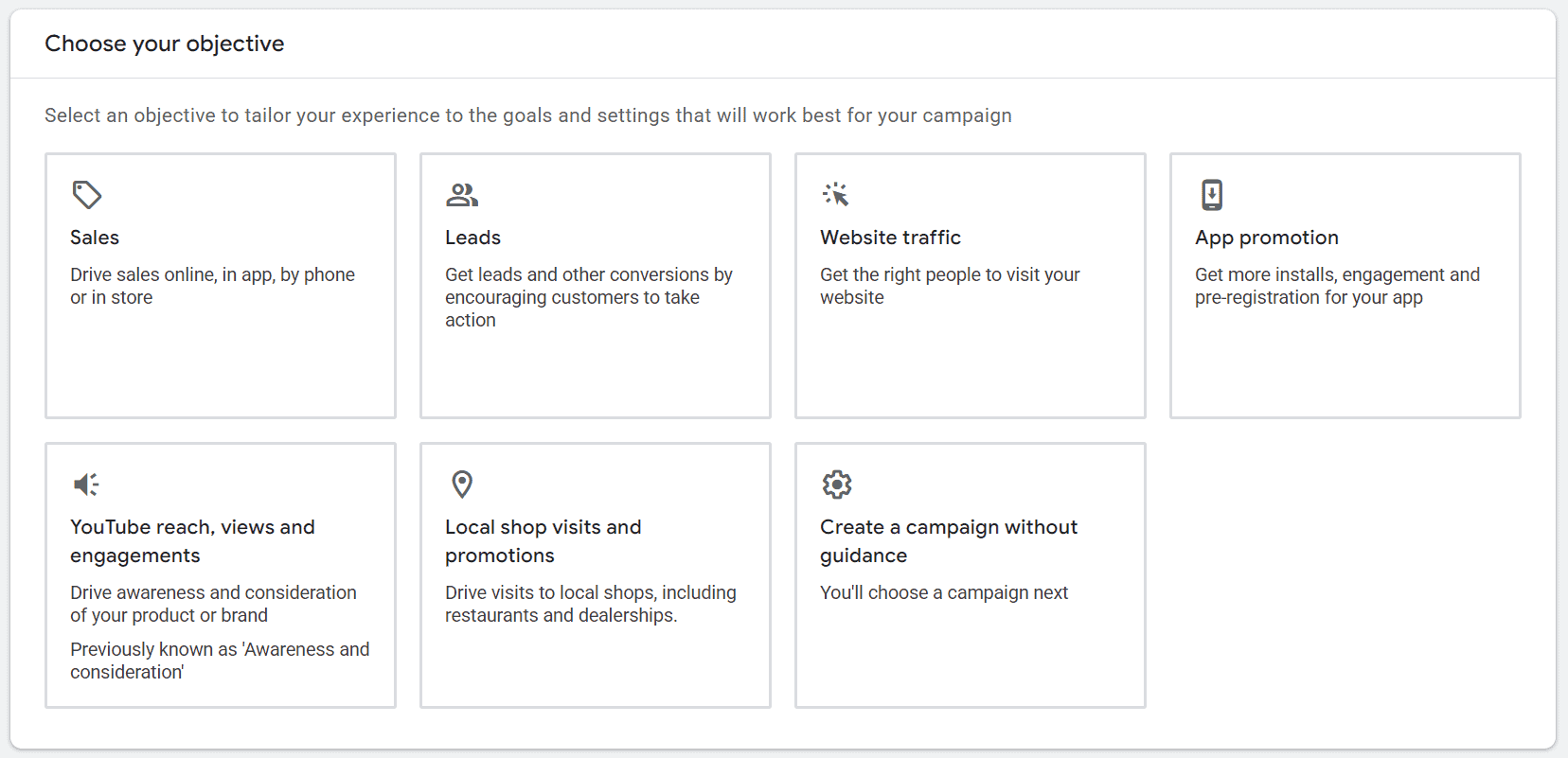
Pick one of those and Google tailors the setup around it, steering you towards a particular campaign type. Notice the last option, though: create a campaign without guidance. That is the one most people end up choosing, and then they start with a search campaign.
It is still worth understanding what the objectives mean, because the honest answer to “what am I trying to achieve” decides everything that follows. Sales and leads are the two that matter for most businesses. Website traffic is what I would call a vanity metric. More visitors is not an outcome, it is a number that goes up.
For most businesses the question underneath all of this is simpler than Google makes it look. Are you a service provider, or are you a retailer?
Where To Start
If you are a service provider, you are very likely going to start with a search campaign. Somebody has a problem, they type it into Google, your advert appears. That is the whole proposition, and it is still the most direct thing the platform does.
If you are a retailer, you are also probably going to start with a search campaign. But at the same time you should be thinking about a Shopping campaign, a Performance Max campaign, or both.
Performance Max is certainly where Google wants to drive most people, and there is nothing wrong with it. It is a keywordless campaign, and it reaches into Search as well as the other places Google can put an advert. Because you are not telling it which searches to appear for, it leans much harder on your website and your product data than a search campaign does. That makes it important that both are configured as well as they can be.
Being a retailer also opens up a requirement that service businesses do not have. You will need a Google Merchant Center account and a product feed to populate it with your catalogue. Without that, Shopping and the shopping side of Performance Max have nothing to work with.
How An Account Is Put Together
Most Google Ads accounts follow a similar pattern.
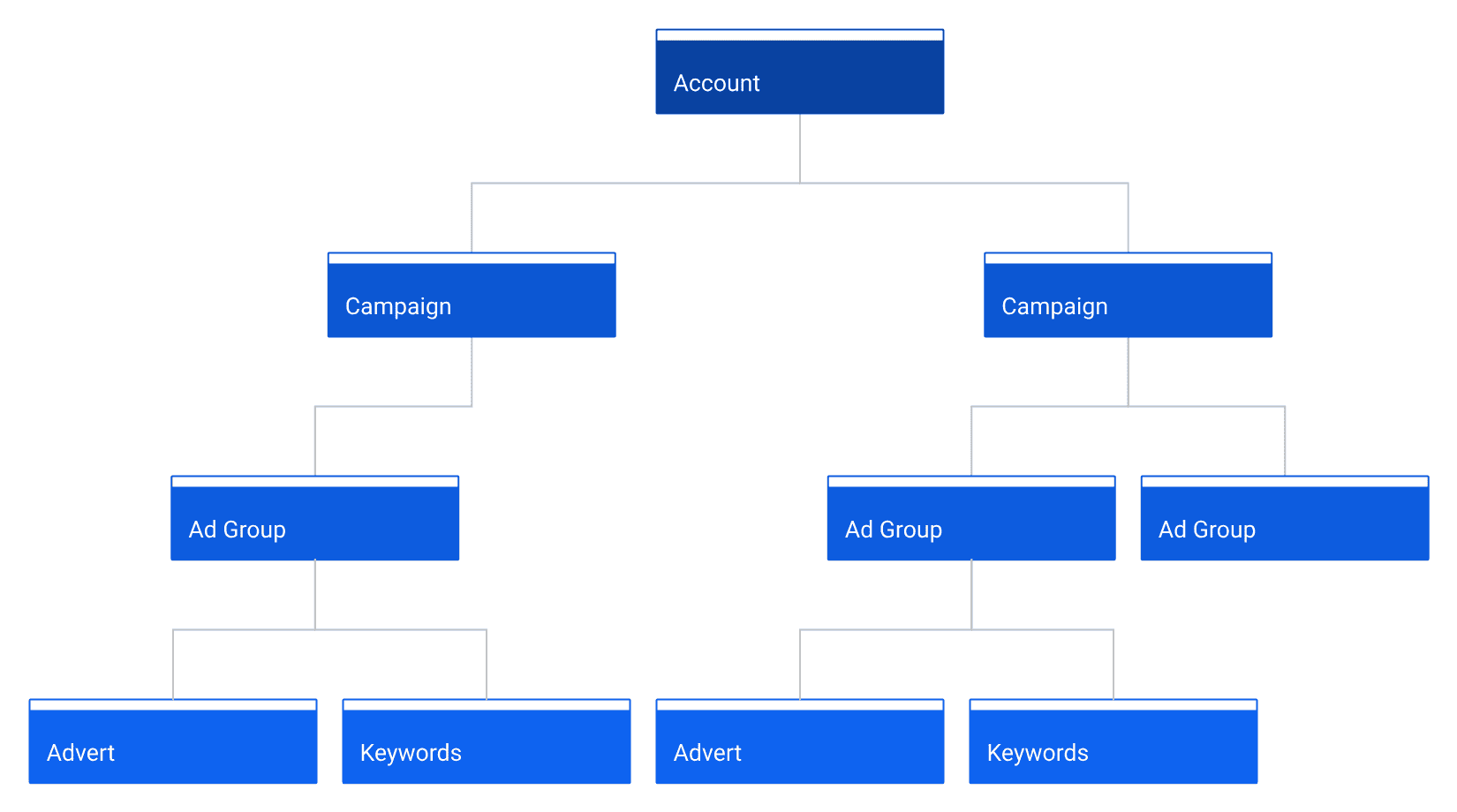
At the top there is the account. That is where you set everything up and, in simple terms, arrange billing with Google so they can charge you for the cost of your advertising.
Inside the account you have a campaign, or several campaigns, depending on your business. They might be:
- a branded search campaign
- a services search campaign
- a shopping campaign
- a Performance Max campaign
Campaigns are made up of ad groups. An ad group is a tight cluster describing one product or one service, and it holds an advert and a number of keywords.
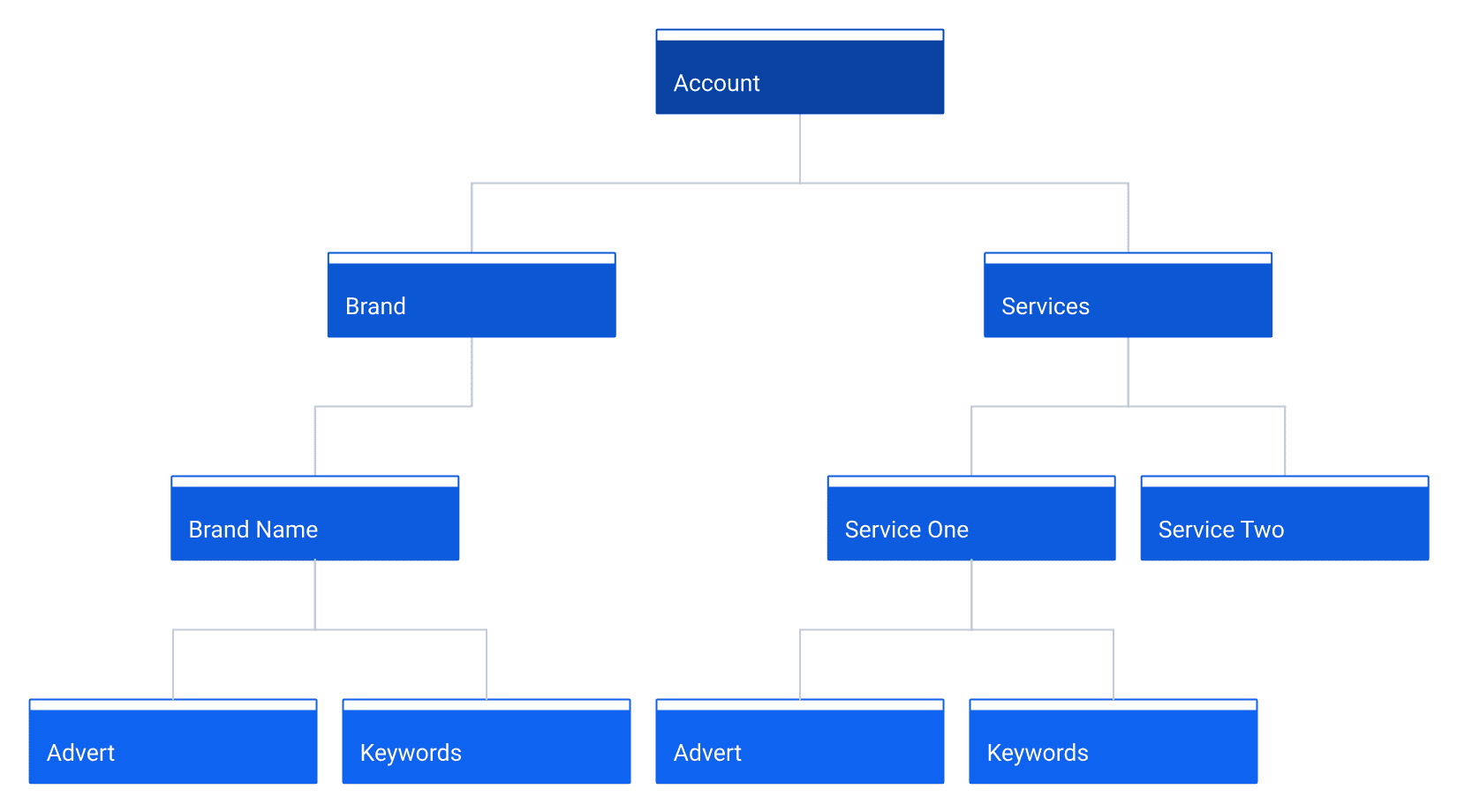
Keywords are the words somebody searches for. This is where a search campaign differs most from the others, because the keyword part disappears entirely once you are talking about Shopping or Performance Max. For the purposes of this explanation I am describing a typical search campaign, where somebody goes looking for something and that something is a keyword.
There are three keyword match types: broad, phrase and exact. They behave very differently from one another, and understanding how at a high level is one of the more important things you can do early on. There is a separate post on match types.
The Two Mistakes That Cost The Most
I have written elsewhere about the basics of setting up an account. But of everything I see, two mistakes account for more wasted money than the rest put together.
The first is no conversion tracking. In plain English, no way of measuring whether a campaign is working. If you cannot tell which clicks turned into business, every other decision you make afterwards is guesswork with a bill attached.
The second is not enough negative keywords. A negative keyword stops your advert from showing. That sounds counterintuitive when the whole point is to be seen, but consider a single example. If you are a plumber and somebody searches “plumber jobs”, they are looking for work, not for a plumber. Add “jobs” as a negative keyword and you stop paying for that click and every variation of it. The same applies to “free”, to “how to”, and to a long list of words that signal somebody is never going to become a customer.
What Budget Do You Need?
Let's say you now have an idea of how you want the account structured and which campaign types you intend to use. If you are a retailer, your Merchant Center is set up and your product feed is populating it. If you are after leads, you have done some research into the phrases your ideal prospects would actually use. You have put those keywords into tightly themed ad groups, each with an advert that supports them and a landing page that is relevant to both.
Then you start. And the question that comes up more than any other is what sort of budget to use.
The Google Keyword Planner will give you an indication of average cost per click. Beyond that, I typically start on the basis that a click is going to cost anywhere from 50p up to a couple of pounds, depending on the marketplace.
If you already have data from other sales channels, organic search for instance, telling you roughly what your conversion rate is, then you can work backwards. That tells you approximately what you can afford to pay per click and still have a lead that makes sense.
If you have not done any of that analysis, one strategy is to use Google Ads as the fact finder. You allocate a set amount of budget and let the campaign run for a fixed period, a week, two weeks, four weeks, purely as a data gathering exercise. You are driving traffic, ideally the right sort of traffic, to your landing page, and then you see what happens.
There is obviously a cost attached to that. But if you are lacking the data from any other source, at some point you are going to have to experiment and find out.
Then Watch What Happens
Use Google Analytics, and a tool like Microsoft Clarity, to look at what those visitors actually did. Are people arriving, are they engaged, do they look like they are interested in buying or in finding out more?
And Then You Nurture It
Once the account is set up, you are measuring results and you are analysing how visitors engage with your site, it becomes a case of nurture.
By that I mean you are reviewing your search terms on a regular basis, looking for two things. Are there additional terms in there worth adding as keywords in their own right? And are there irrelevant ones that should be blocked with a negative keyword?
You want to be reviewing the performance of individual adverts against the landing pages they point to. And it is worth asking what the search terms are telling you about your own website. Could they give you an idea of how to improve your copy, so that people feel more comfortable when they arrive and know straight away that they are in the right place?
Hopefully that gives you enough to be thinking about when you are looking at your own account.
Of course, if you would rather get rid of the whole build and nurture process completely, then please get in touch.